
This article covers command-line SSH on Windows 7 using the older OpenSSH for Windows package. It is not a guide to setting up SSH on Windows 11 or Windows 10.
Openssh for Windows is a freely downloadable command line ssh client for Windows operating system. This can be downloaded from http://sshwindows.sourceforge.net/
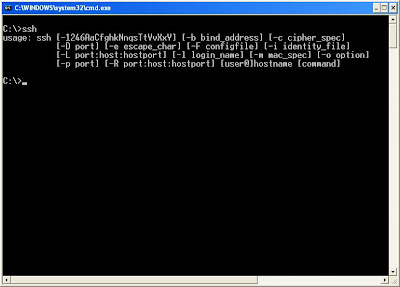
A snapshot with the options is given below. (Click on the image to see the options more clearly).
Installation instructions:
- Open the above download link and click on Binary Installer Releases
- Download the zip file
- Unzip the file and run the setupssh.exe file
- Select the options based on your requirement. Unselect server component if you just need the client version.
- After completing installation, open command window and then run ssh
If you want a GUI ssh client you can use Putty.exe. Use Putty connection manager in combination with Putty to have tabbed ssh sessions like the Terminal on Linux.
With Windows 10 you get it out of the box.
C:\Windows\System32\OpenSSH
Includes scp, sftp, keygen and agent.
You should not advertise this, there is a major bug in the install of OpenSSH that could cripple your system. The installation overwrites the system PATH environment variable. Something that is not easy to reconfigure if you don’t have the original path.
It doesn’t work with newer alg implementations, so new type of servers with stronger kex will not work…
Hi All,
Just need a confirmation i need to run commands on a remote windows system from an other windows system, can you let me know how i can achive this using open ssh
@mary
I consider putty and ssh save to use for myself.
Of course it is up to you to decide or investigate.
You can read the openssh sourcecode, but I think putty does not offer that option.
Hello, guys! How do you solve a problem with the attempt to search “/ home / *”? The program can not write or read the known_hosts file, as does not refer to “C: \ Users \ MyCoolUser \ .ssh”, and on “/home/MyCoolUser/.ssh”(. Tell me, please , because the password is 37 characters constantly do not want to enter .
Warning, the installation removes everything in PATH environment variable and replaces it with the path to the ssh cmd line client!!!
Is this secure. Would it result in virus attack.
Also, Is putty safe to use?
My bad I copied the instructions, there’s one path error, this:
cd “c:\program files\cwrsync\bin”
Should be this:
cd “c:\program files\icw\bin”
OK I found a soloution to my above problem, to use key auth command line ssh on windows 7:
Just use copssh
In this command prompt, type:
cd “c:\program files\cwrsync\bin”
and hit enter. Then type:
ssh-keygen -t rsa -N ”
accept the default location, the pretend root ‘/’ is the Program Files\ICW folder, so then you can use this command perfectly even from a normal Windows CMD prompt and it works!:
C:\Program File\ICW\bin>ssh -i /.ssh/id_rsa user@host uptime
and it works omg sweet. That’s OpenSSH_5.9p1, OpenSSL 0.9.8r 8 Feb 2011
Good info, but with Windows (7 at least) OpenSSH for windows client Ignores private keys for authentication becuase the Linux file permissions always read 0644 whatever you do!!
Annoying – if you know a soloution, except using Cygwin please post.
Thanks!
PS. and yes I tried the windows ACL & chmod ports, they don’t affect what the binary sees.
@@@@@@@@@@@@@@@@@@@@@@@@@@@@@@@@@@@@@@@@@@@@@@@@@@@@@@@@@@@
@ WARNING: UNPROTECTED PRIVATE KEY FILE! @
@@@@@@@@@@@@@@@@@@@@@@@@@@@@@@@@@@@@@@@@@@@@@@@@@@@@@@@@@@@
Permissions 0644 for ‘C:/users/User/desktop/openssh-id_rsa’ are too open.
It is recommended that your private key files are NOT accessible by others.
This private key will be ignored.