
This post describes the older Windows XP and Windows 7 behavior. The userinit command is part of Windows logon initialization, so it should not be treated as a general Documents-folder shortcut for Windows 11 or Windows 10.
In the original Windows XP example, we used userinit command to open My Documents folder in Explorer.
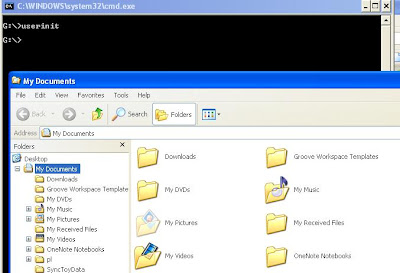
The command was run from the Run window also.
In the Windows 7 example, ‘userinit‘ command opened the Libraries folder, which shows links to Documents, Pictures, Music and Video. To open Documents folder, we could run the command ‘Documents’ from Run window. However, this did not work from command prompt. We could use ‘start documents‘ in command prompt to open the Documents folder.
Yes, In windows 7 it opens the libraries folder…
Check the value 'Personal' under the node HKEY_CURRENT_USER\Software\Microsoft\Windows\CurrentVersion\Explorer\User Shell Folders.
If it's pointing to the actual mydocs location then you can run a registry query command first to know the mydocs location and then use that value in the winrar command. You will need to do this in a batch file. Below command would print the registry value.
reg query "HKEY_CURRENT_USER\Software\Microsoft\Windows\CurrentVersion\Explorer\User Shell Folders" /v personal
Yes! It worked fine! I test on my Windows 7 Ultimate Service Pack 1. Thank bro! I really like it.
But the problem is:
– I can't use userinit to winrar command line to extract. It support only %userprofile%\My Document. But I changed Document default location to drive D: . how can I open My Document folder from run command (%userprofile%\My Document not support too in run command when I chaged My Document default location)?
No, it doesn't.
In windows 7 it opens the libraries folder where Documents, pictures etc are located.
Works fine but not in Win7.