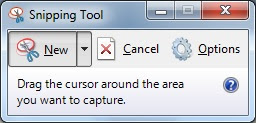
Snipping tool makes it easy to capture snapshot of the current screen. We can launch this tool from command line by running ‘snippingtool‘ command. Same command can be used from Run command too.
This tool is not available in Windows XP/Server 2003.

Snipping tool makes it easy to capture snapshot of the current screen. We can launch this tool from command line by running ‘snippingtool‘ command. Same command can be used from Run command too.
This tool is not available in Windows XP/Server 2003.
I tried and it doesn’t work…
c:/>snippingtool
‘snippingtool’ is not recognized as an internal or external command,
operable program or batch file.
I am using Windows 7 Enterprise
I double checked it on Win7 Enterprise. It works.
I am a novice, but I tried this and it worked.
%windir%\system32\SnippingTool.exe
Using DOS how can I automate the SnippingTool to make a new snip (with width height and screen position, then save it with a new name?
Please help.
Thanks
I am using Windows 7 (64bit)
Thanks Graham. That just did it for me
Late reply, but just type snippingtool and it should work, in cmd as well as in the search bar
Yeah it works…
@John- Try again it works(it could be a typo from your end)
It didn’t work for me when I just typed snippingtool nor doing %windir%\system32\SnippingTool.exe
So if you have the same problem, try something like:
C:\Windows\winsxs\amd64_microsoft-windows-snippingtool-app_31bf3856ad364e35_6.1.7600.16385_none_f5b8f3d6a353fa89>SnippingTool.exe
version will probably be wrong, but when you are in cmd, just do:
C:\Windows\winsxs> cd *snippintool*
And it should open desired folder :) I found it by searching snippingtool in explorer in C: folder
Thanks Damir! That was exactly what I needed. I couldn’t get either plain snippingtool or %windir%\system32\SnippingTool.exe to work, but finding the file underneath winsxs worked for me.
Perfect!
I think everyone can run “snippingtool” command just fine, it’s just that you have to run cmd as administrator. Otherwise you are not permited to see or run SnippingTool.exe