
If you want to add command window tile to the start screen, here is how you can do this.
- Open the folder c:\windows\system32 in explorer.
- Locate the file cmd.exe
- Right click and select ‘Pin to Start‘
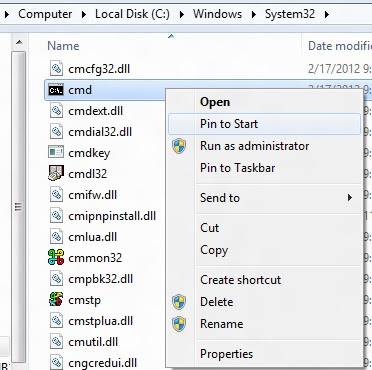
- That’s all. Now click Windows key, you can see a new tile added at the last.
- You can drag and drop this tile wherever you want it to be in the start metro menu.
It looks like this after adding the command window tile.
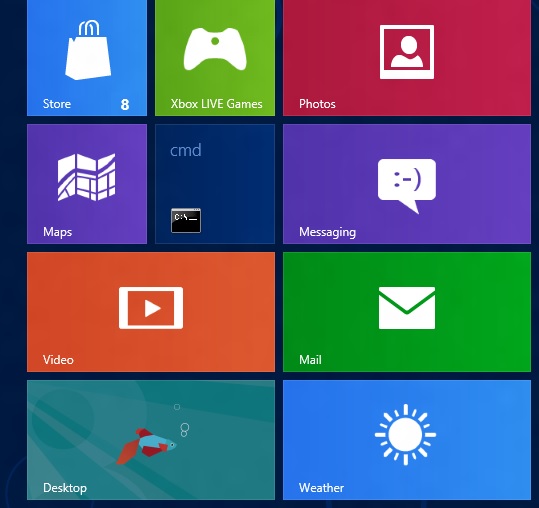
command windows shortcut in Windows 8 start menu
An even easier method:
Type cmd while the start page is showing.
Right click on Command Window
Select “Pin to taskbar” on the option charm that will show.
Or select “Pin to Start”
There is a collection of really neat tweaks from MSDN called the “elevation powertoys for windows”, and it includes a script that will install “open command prompt here (as admin) to the right click menu of any folder, which will open the command line already linked to whatever folder you use. There is actually a bunch of neat tweaks included in that.
https://blogs.technet.microsoft.com/elevationpowertoys/
https://blogs.technet.microsoft.com/deploymentguys/2009/01/20/the-elevation-powertoys-and-windows-7/