
Learn how to open Local users and Groups console from Run window. In this console, administrators can perform operations like creation/deletion of user accounts, resetting user password etc.
Execute the command lusrmgr.msc to open user accounts window from Run.

However, on Windows XP we need to run a different command.
On XP: nusrmgr.cpl
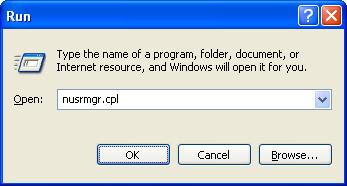
Also, we can use Netplwiz from Run window to launch user accounts window which shows only the local user accounts on the system.
If you are looking for a way to manage user accounts from command line then see the below posts.
- List user names in command prompt
- Add user from command line
- Delete user from command line
- Create a user group command line
- Add user to group from command line
- Remove user from group using command line
- Last logon time of user
- Enable or disable a user account from command line
It worked for me. In my machine i was unable to find "User Account" Shortcut. SO was searching it to open it from Run Window. Thanks for the Stuff.
How do you do it with windows 7. I tried the ‘nusrmgr.cpl’ to no avail.
This is changed in Windows 7. You can run compmgmt.msc and manage user accounts from there.
Run “control nusrmgr.cpl”
Hey buddy,
command to open user accounts is “LUSRMGR.MSC”
exactly
nusrmgr.cpl works for XP where as lusrmgr.msc works for Windows 7. Updated the post for Windows 7.
Hi Admin,
I have unintentionally closed (forced) exlorer.exe on a remote server & now I am unable to run explorer.exe back. It gives me blank screen everytime I try to login. It is a remote server (Windows 7). I need to access it urgently as I was treoubleshooting something.
Please help!
Thanks in advance.
If explorer is killed, it can be restarted by running ‘explorer’ from command prompt. But I’m not sure if you have access to command window.
Press alt+ctrl+delete to open task manager and click on new task and type explorer.exe
hi everyone,
i have create the user accounts through lusrmgr in windows server 2012R2 but there is no user account at logon screen. thanks
regards,
Mohsin khan
Hello Mohsin, when a new user local or domain is created the first time you login, the user needs to invoked by clicking on the left lower corner and choose other user. for a domain user the user name will work, for a local user type .\user-name (.\ translates to local machine)
Hi , in an enterprise environment , how can I find out to how many computers one user is logged in ? Sometimes users have frequent account lock out for logging to more than one computer , is there a site that I can find out logs for the computers that the effected user logged in to ? thanks so much